Nearly every robot vacuum comparison chart treats WiFi and app control as an obvious upgrade — more connected must mean better. But app-connected models routinely cost $80–150 more than an otherwise-identical remote-only unit from the same product line, and a meaningful share of that price gap buys features a lot of buyers never actually use. Before paying for the connected version, it's worth being specific about what WiFi control adds, and what it doesn't.
What WiFi actually adds
Three real capabilities require an app and WiFi: starting or scheduling a clean when you're away from home, room-by-room mapping with no-go zones drawn on a floor plan, and voice-assistant integration ("start the vacuum" via a smart speaker). All three are genuinely useful for specific households — someone who wants the living room clean before guests arrive while they're still at work, for instance, needs remote start. That's not a manufactured feature; it solves a real scheduling problem an on-device timer can't.
What a remote-only model still does
A remote-only robot vacuum still self-charges, still runs on a schedule you set directly on the unit's own buttons, and — on models with the sensor hardware for it — still auto-adjusts suction between floor types and avoids stairs via onboard sensors. None of that requires an app. The gap isn't "smart vs. dumb," it's specifically "controllable from anywhere vs. controllable from the unit itself." Our own Home & Lifestyle buying guide makes this same point about smart-home features generally: a feature earns its keep when it removes a step you were already annoyed by, not when it adds a step (opening an app, maintaining an account, installing firmware updates) for something a physical control already handled fine.
Where the WiFi model actually wins
If your routine genuinely depends on remote start — an unpredictable work schedule, wanting the floors done before you walk in the door, or a household where "just press the button" doesn't reliably happen — the app-connected model is solving a real problem for you, and the price premium is a fair trade. Room mapping also matters more in larger, more complex floor plans where you actually want to exclude specific rooms or zones; in a studio or one-bedroom apartment, there's often nothing to map that a simple perimeter-following pattern doesn't already cover reasonably well.
Where skipping WiFi is the smarter buy
If your actual routine is "run it on a fixed schedule, empty it when full," a WiFi connection buys you almost nothing beyond bragging rights and one more device account to manage. It's also worth naming the other side of "connected": an app-controlled vacuum is one more device sending data to a manufacturer's cloud service and one more thing that stops working correctly if that company's servers have an outage — a genuinely dumb vacuum can't have that failure mode, because there's nothing to connect to.
A practical way to decide
- Do you actually need to start a clean while away from home, on a schedule that changes week to week? If yes, WiFi earns its price premium.
- Is your home small or simple enough that mapping and no-go zones wouldn't meaningfully change how it cleans? If yes, a remote-only model likely performs the same in practice.
- Would you rather manage one fewer app account and firmware-update cycle for a background appliance? That's a legitimate preference, not a compromise.
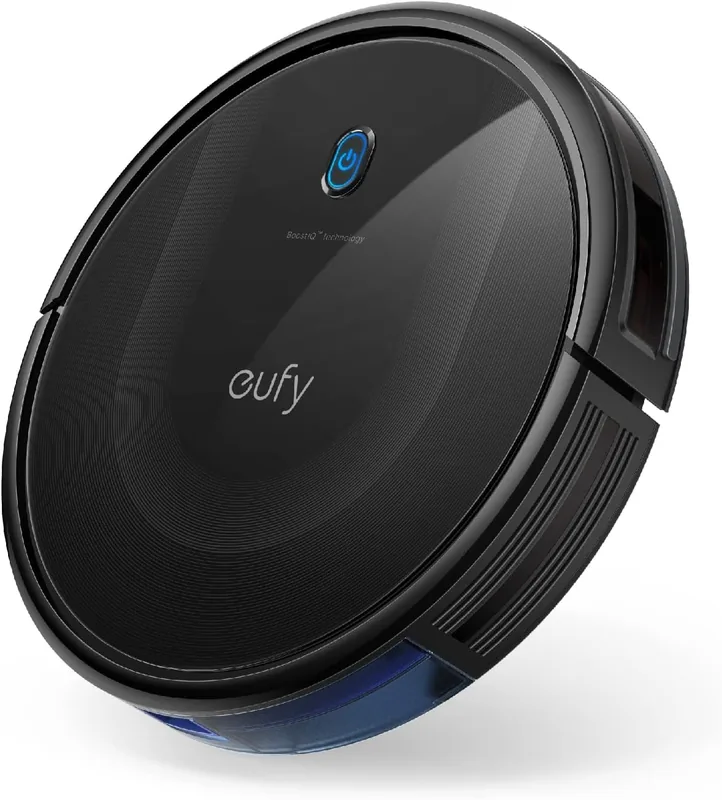
The eufy 11S MAX is one example of the remote-only side of this trade-off — eufy's own listing is explicit that the model skips WiFi and app support entirely in exchange for a slimmer body and lower price than its connected siblings. The scheduling and mapping questions above apply the same way whichever specific remote-only or connected model you're actually comparing.
The takeaway
WiFi control on a robot vacuum isn't a universal upgrade or a gimmick — it's a specific feature that solves a specific scheduling problem for some households and does nothing for others. Match the decision to whether you'll actually use remote start and mapping, not to which spec sheet has more checkmarks on it.